
 Maurice Daly
Over the past number of years I have heard it mentioned on more than one occasion, that admins would like to see features which were part of something called “Group Policy Preferences” in Active Directory, being added in Microsoft Intune.
I mentioned this fact recently at a speaking session I did in Dublin, and instantly realised that some don’t even know what GPP is, so let me explain what it was, and then talk about a solution I have just released that helps you solve some of the asks.
What Is Group Policy Preferences?
Group Policy Preferences (GPP) is a feature of Active Directory Group Policy, for those of you who just know Intune and Entra, its what us old timers used before the cloud was invented. Basically, Group Policy was the Settings Catalog of yesteryear, and it allowed admins to set settings on client/server devices in much the same way that we do today with Intune, albeit just on clients.
Contained within Group Policy, GPP offered specific rule based conditions on things like;
- Registry Settings
- Printers
- Drive Mappings
- Environment Variables
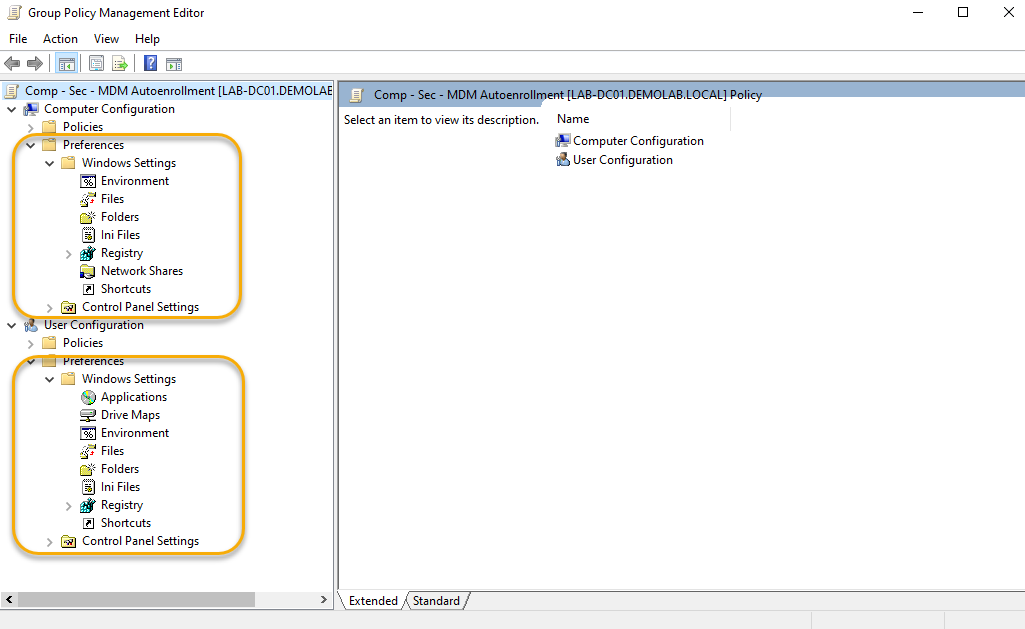
This allowed the admin to create Registry Keys for groups or individual users, or connect SMB shares for the same on login etc. Due to the nature of the fact it was very flexible with its targeting, GPP was often used by on-premises admins to undertake tasks that previously once upon a time were done in “logon scripts” (I’ll not go down that road).
Anyhow, the point is that when it comes to moving to Intune, although there has been great work by the team to realise parity on what you could do in the before times, the mapping of GPP to the cloud simply isn’t a thing.
Introducing Cloud Policy Preferences
For years, I have been tied to the idea of creating a solution that bridged the gap, or for those who are only working with Intune, extended it for you!.. Well now I have just released a SaaS app that might just do that thing for you.
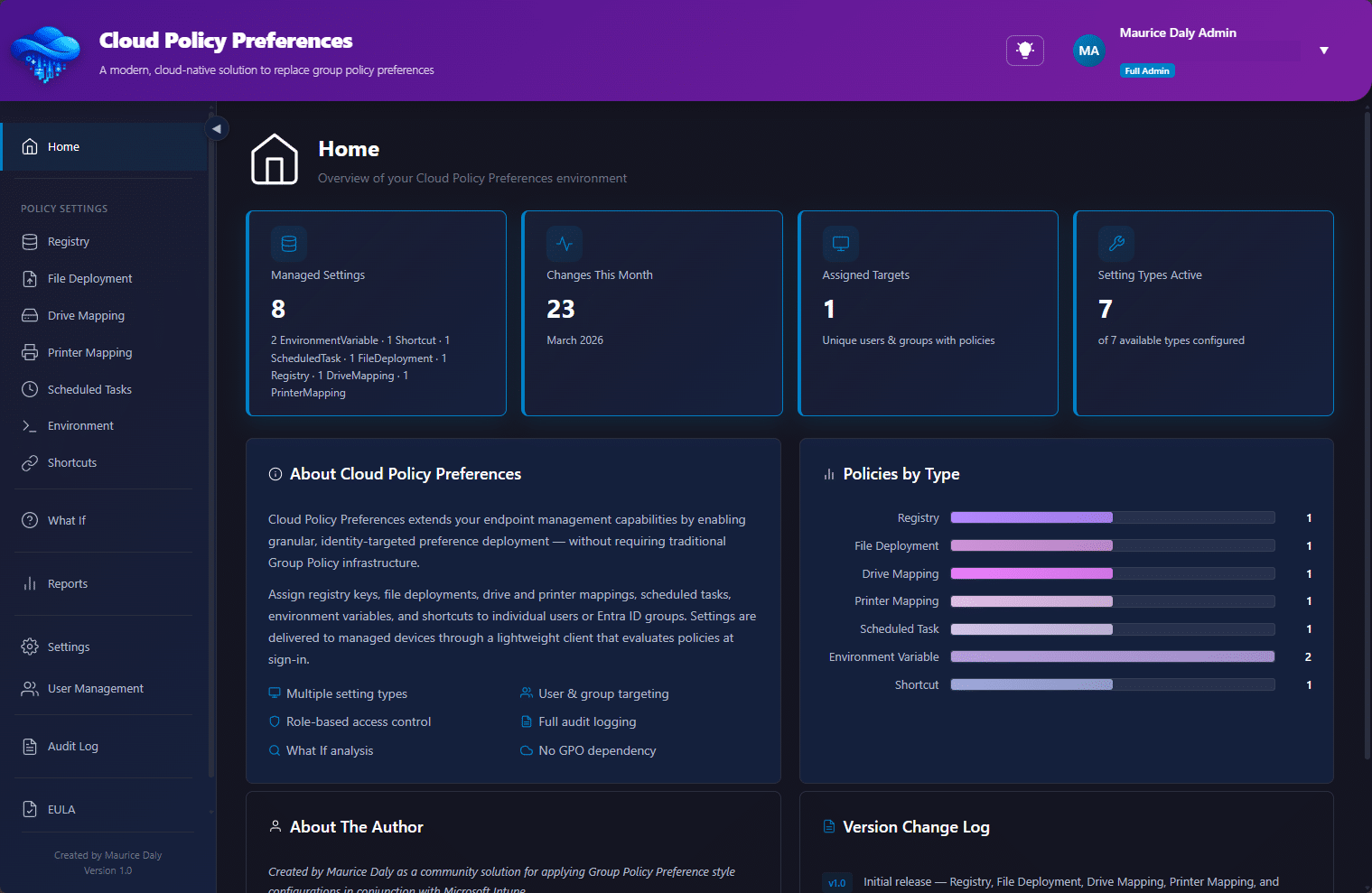
Cloud Policy Preferences is a SaaS based community solution that provides access to some of the more useful features of GPP, allowing you to do the following configurations on your Intune managed clients;
- Registry Settings
- File Deployments
- Shortcuts
- Printers
- Drive Mappings
- Scheduled Tasks
Admin Portal / Sign Up – https://app.cloudpolicypreferences.com
How does it work?
The solution is provided through Azure Functions, which, in conjunction with Azure tables, storage, key vault, and Microsoft Intune, provide a method to deploy settings in the form of JSON payloads that are targeted at users/devices and/or groups. Configurations are stored within storage tables, and a function app provides your client with a method to communicate with the function through PowerShell remediation scripts pushed to the clients.
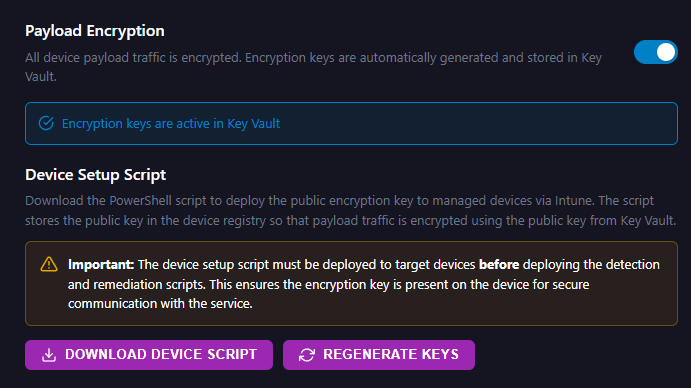
An initial onboarding script is created, which is required to push down to your client devices. This creates configuration items stored within the device registry which contains a public key for encryption of the payload;
When your clients communicate with the API, they issue a payload to the API, containing the tenant ID and an API key, which is created within the admin portal;
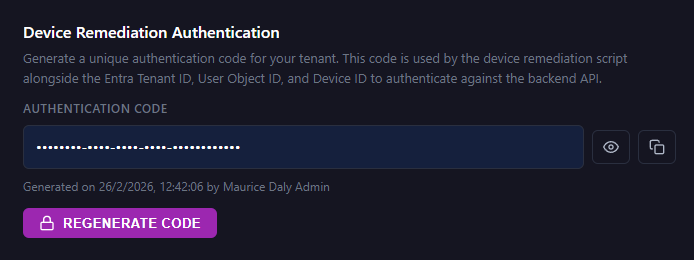
This information is combined with further identifiers including;
- UserObjectID
- DeviceID
- Existing Configurations (matched against the policies you define)
The API validates the request through two stages, and once validated the API will deliver policies you have configured within the portal to the client, and also receive updates from the client for reporting purposes.
What Graph API Permissions Are Required?
The solution is a multi-tenant app registration that has only read graph permissions in your tenant to allow it to read in users and groups for targeting, and provide Entra based authentication.
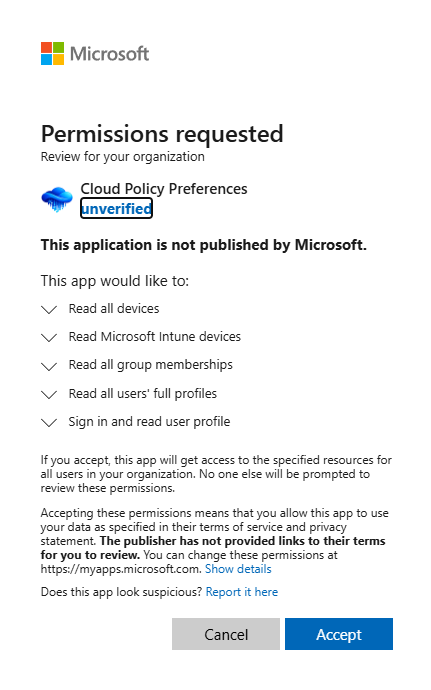
The full list of application permissions is above, and as you can see only read permissions are required. You, as the admin, can then review / deploy the scripts to use this solution with the knowledge that the solution does not have any form of write access to your Intune or Entra environment.
What Does It Do Then?
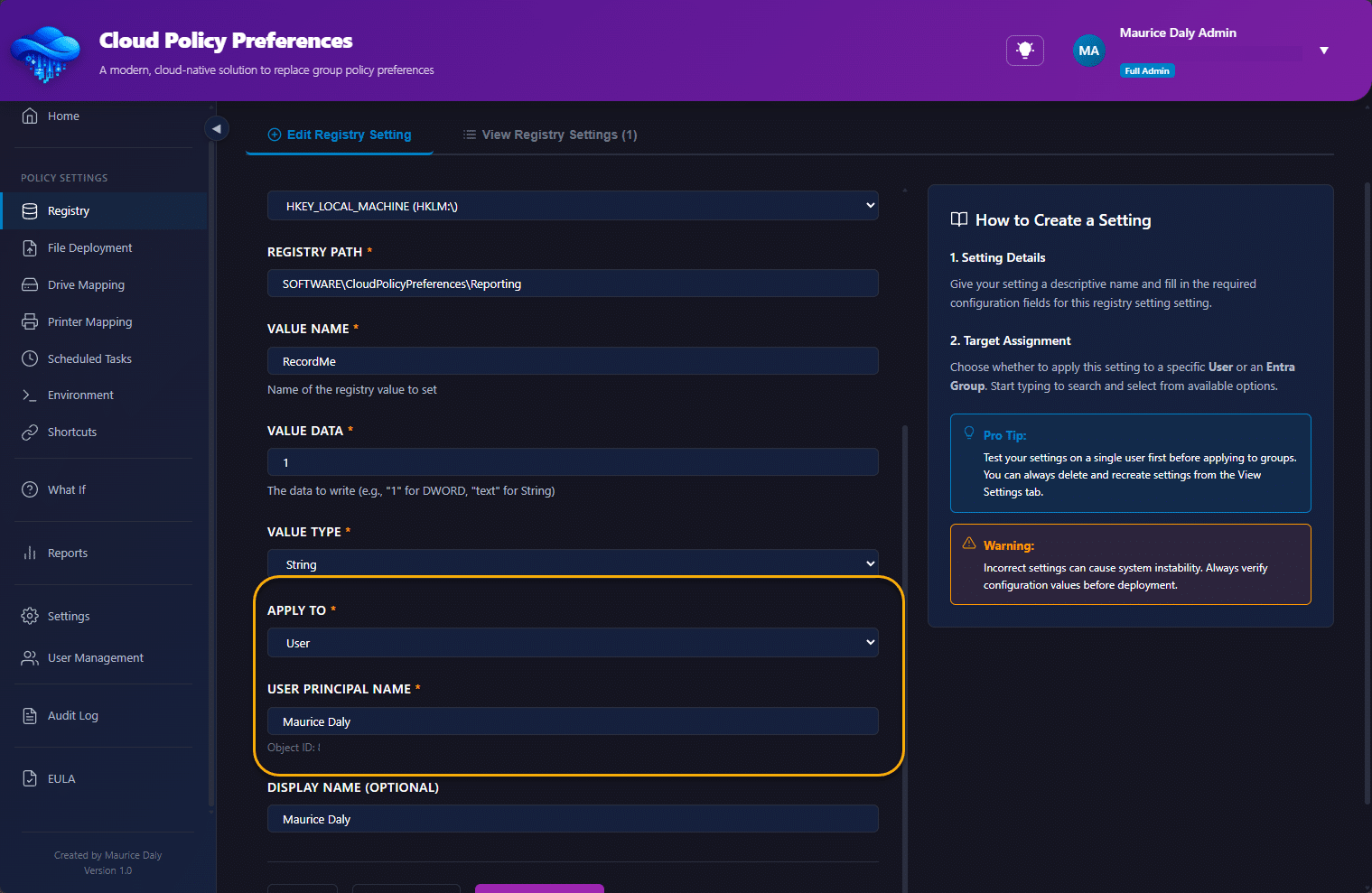
Let’s take an example of an admin that wants to set a Registry Key, the admin would then create a policy in the Admin Portal;
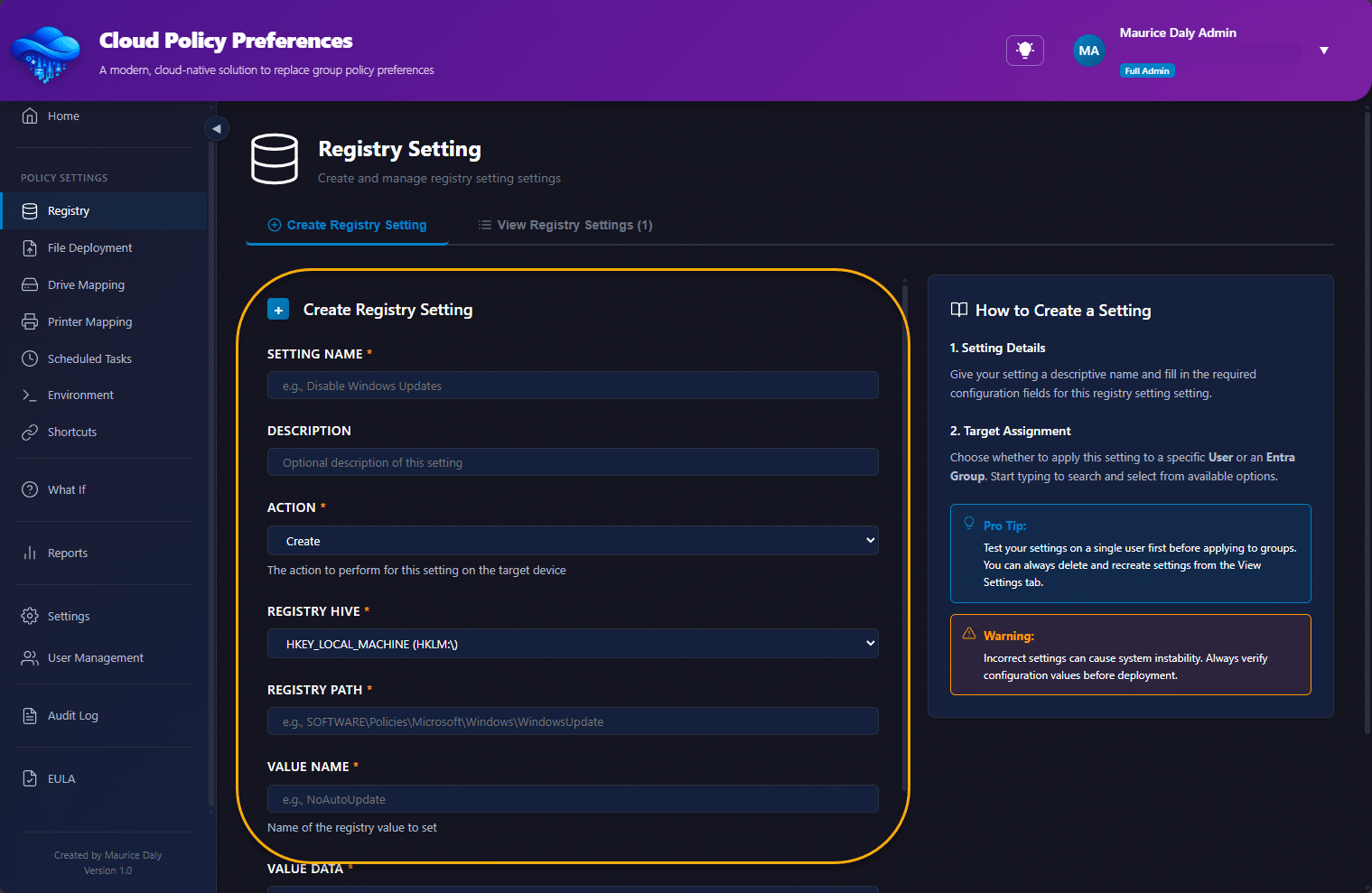
During the configuration of the policy, the admin is asked to select which user or group is used for policy deployment;
Once created, the policy is added to the list of configured policies;
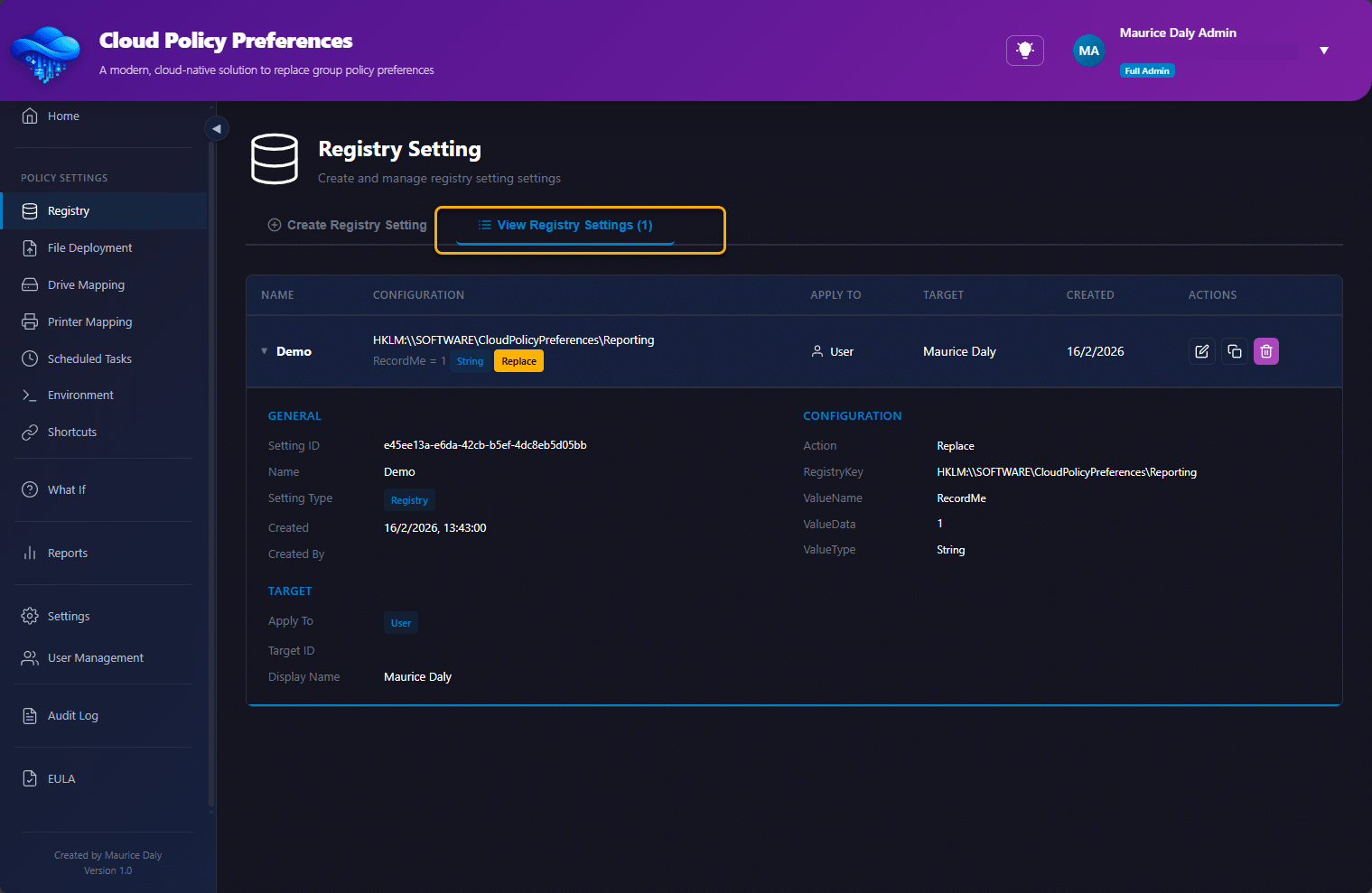
At this point the admin must undertake the following actions;
- Deploy the onboarding script as a platform script to the clients they wish to manage.
- Deploy the detection and remediation scripts to the same clients
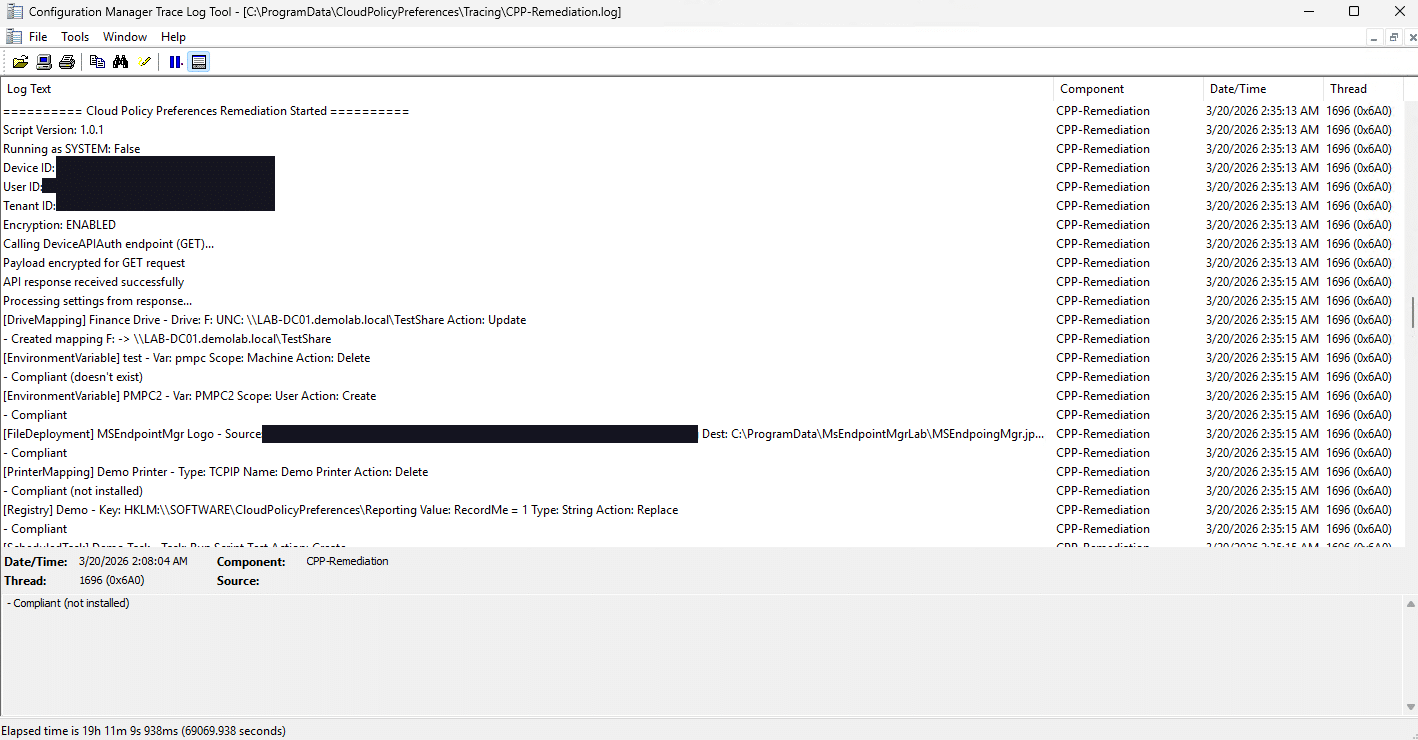
When the client runs the remediation, local logging is provided for troubleshooting purposes in the following location;
C:\ProgramData\Cloud Policy Preferences\Tracing
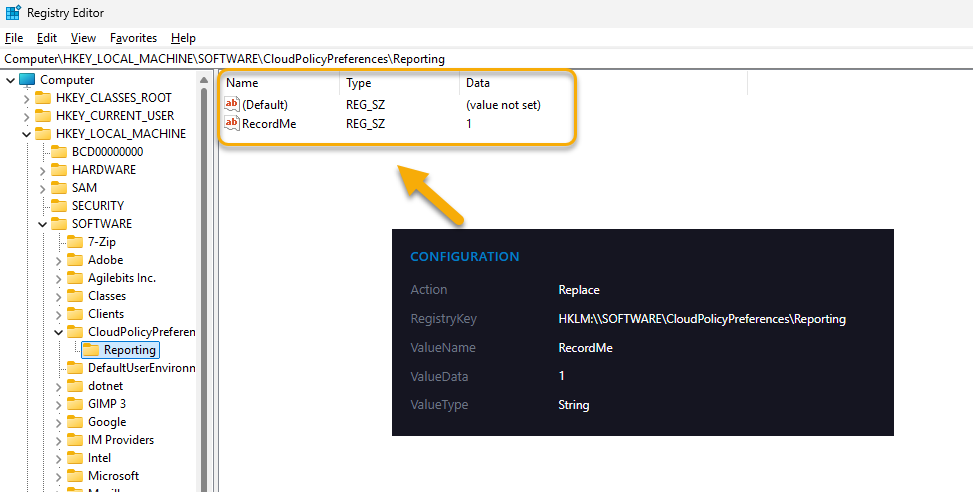
The end result in this example is the registry key is created/updated/deleted as desired on the client device;
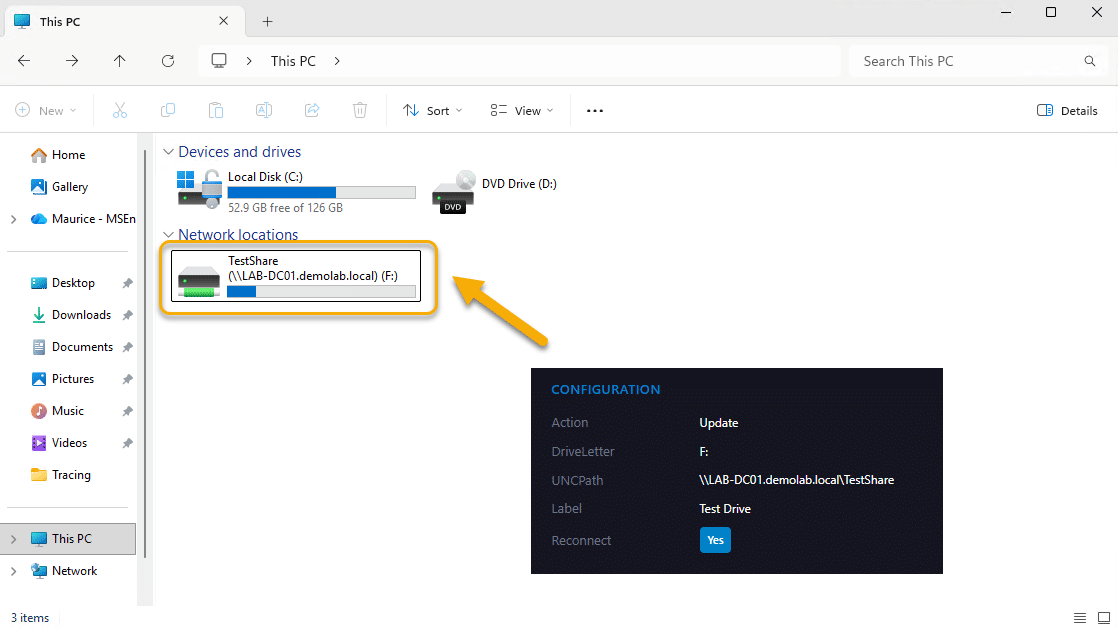
Below is an example of a drive mapping;
RSOP Anyone?
One of the nice things about Group Policies was the ability to generate reports on “what would happen”. The same approach applies here, were we can look at the policies that would impact on the user and/or group ahead of deployment;
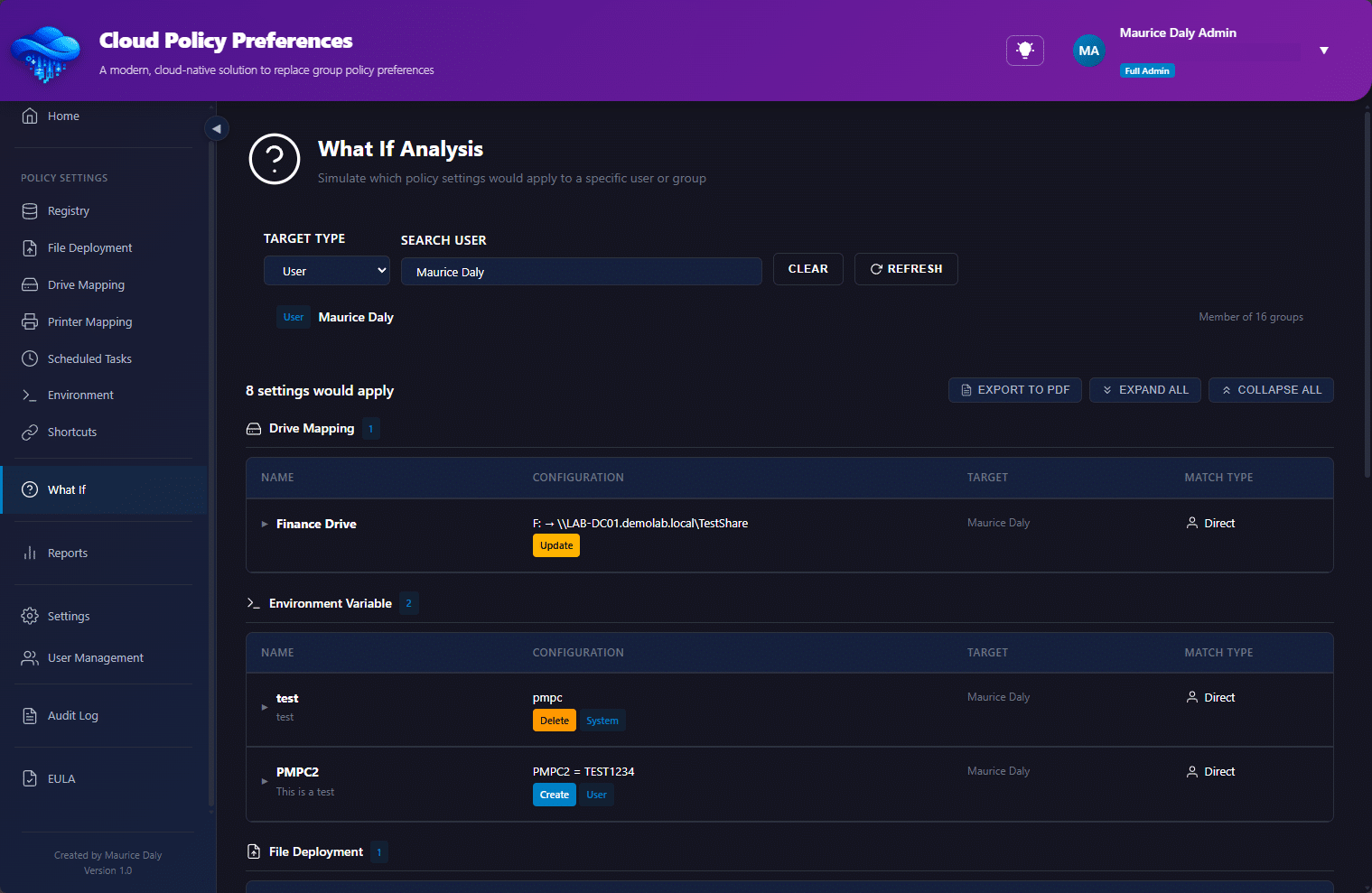
As you can see, it indicates whether the settings have been targeted at a user, or group;

Reporting Capability
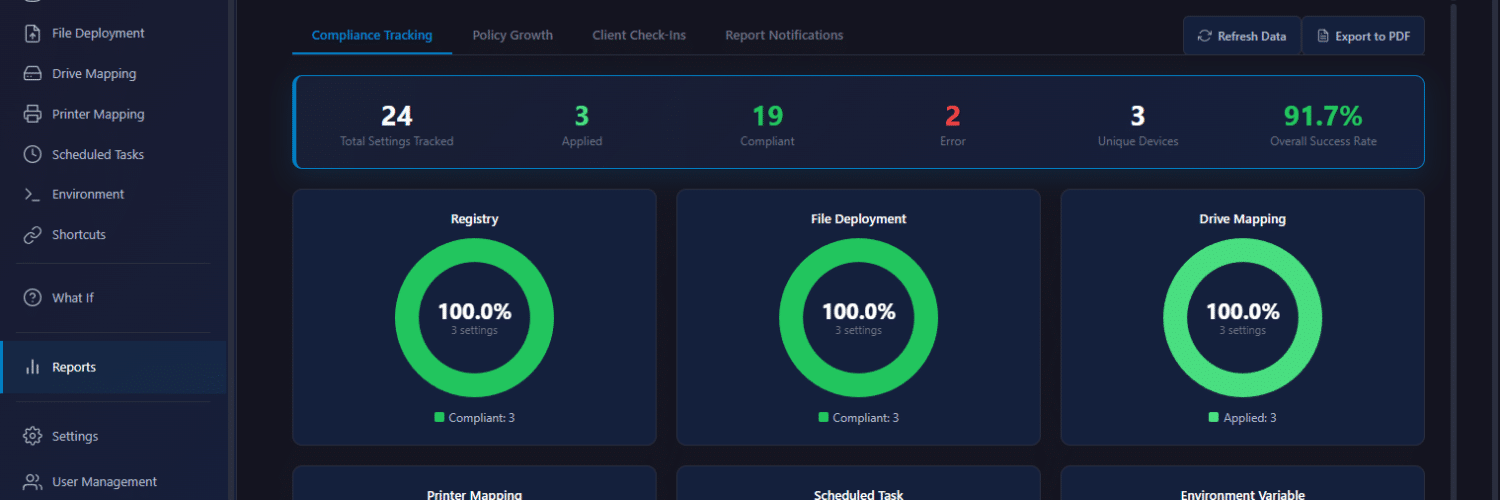
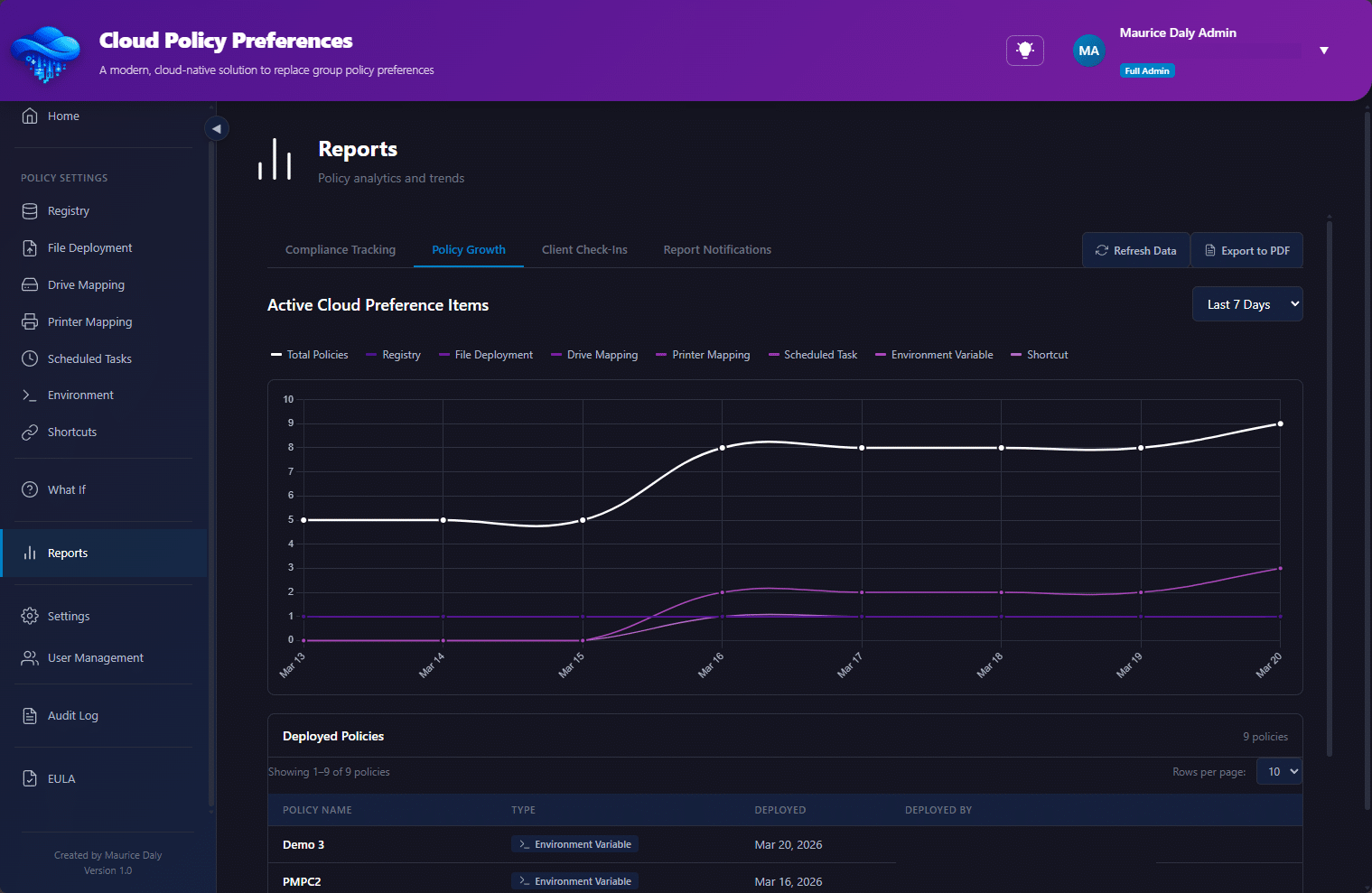
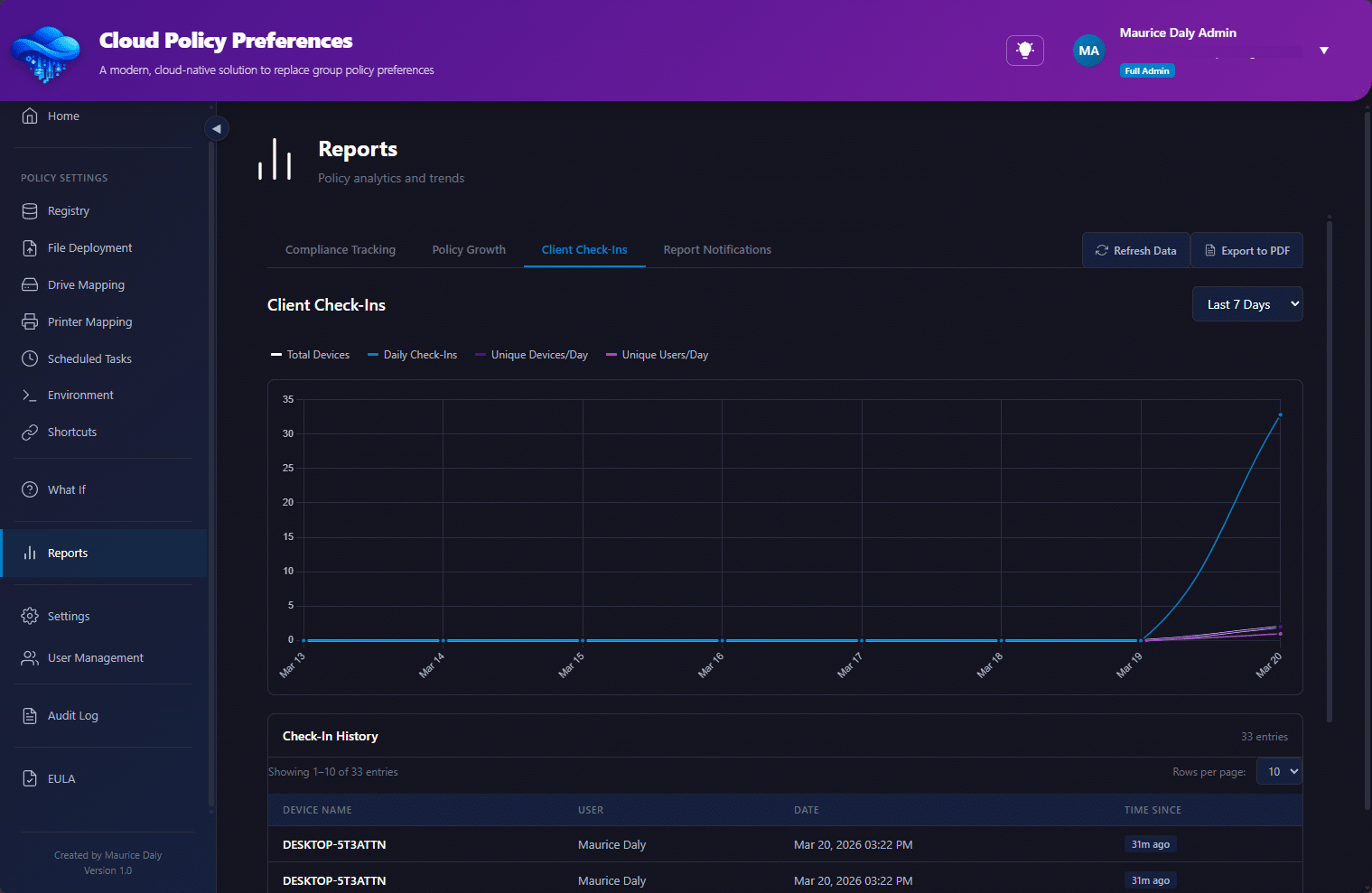
When you are an admin it is key that you can report on the thing you just deployed, and the solution also provides drill down reports showing the clients which are checking in, settings deployment, and more;
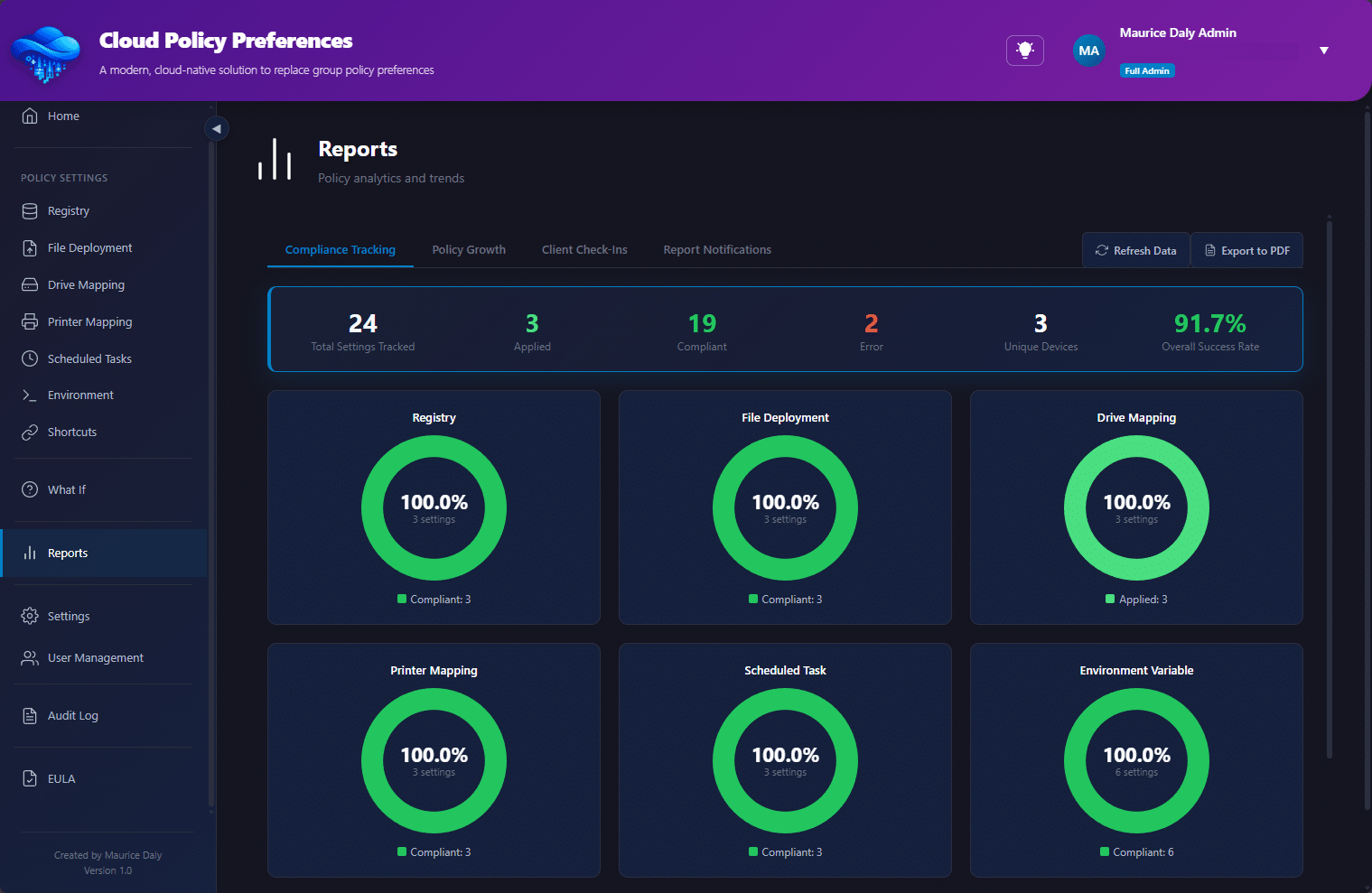
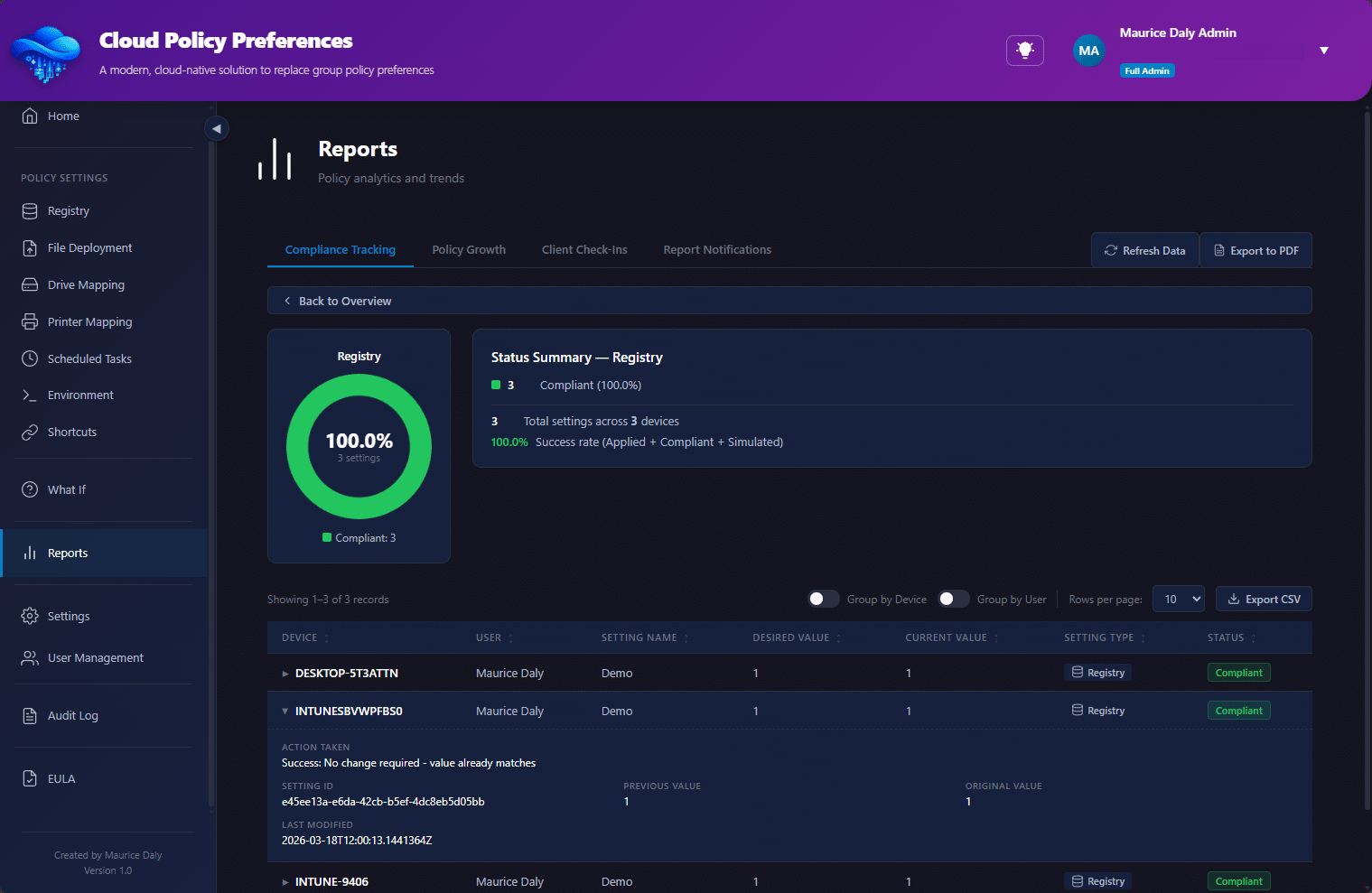
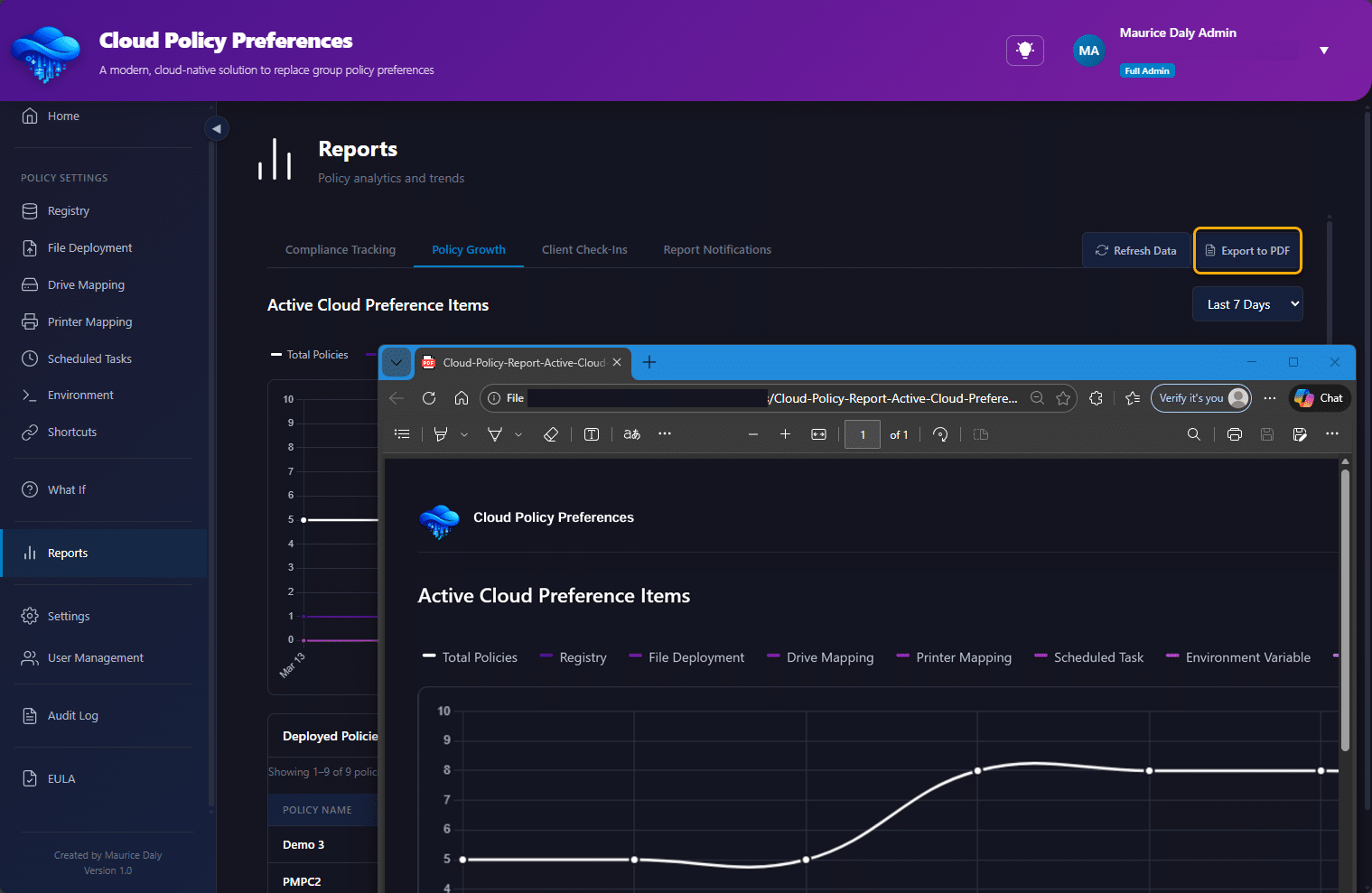
Should you wish to print the report, it contains a built in PDF export function;
Web Hook Notifications
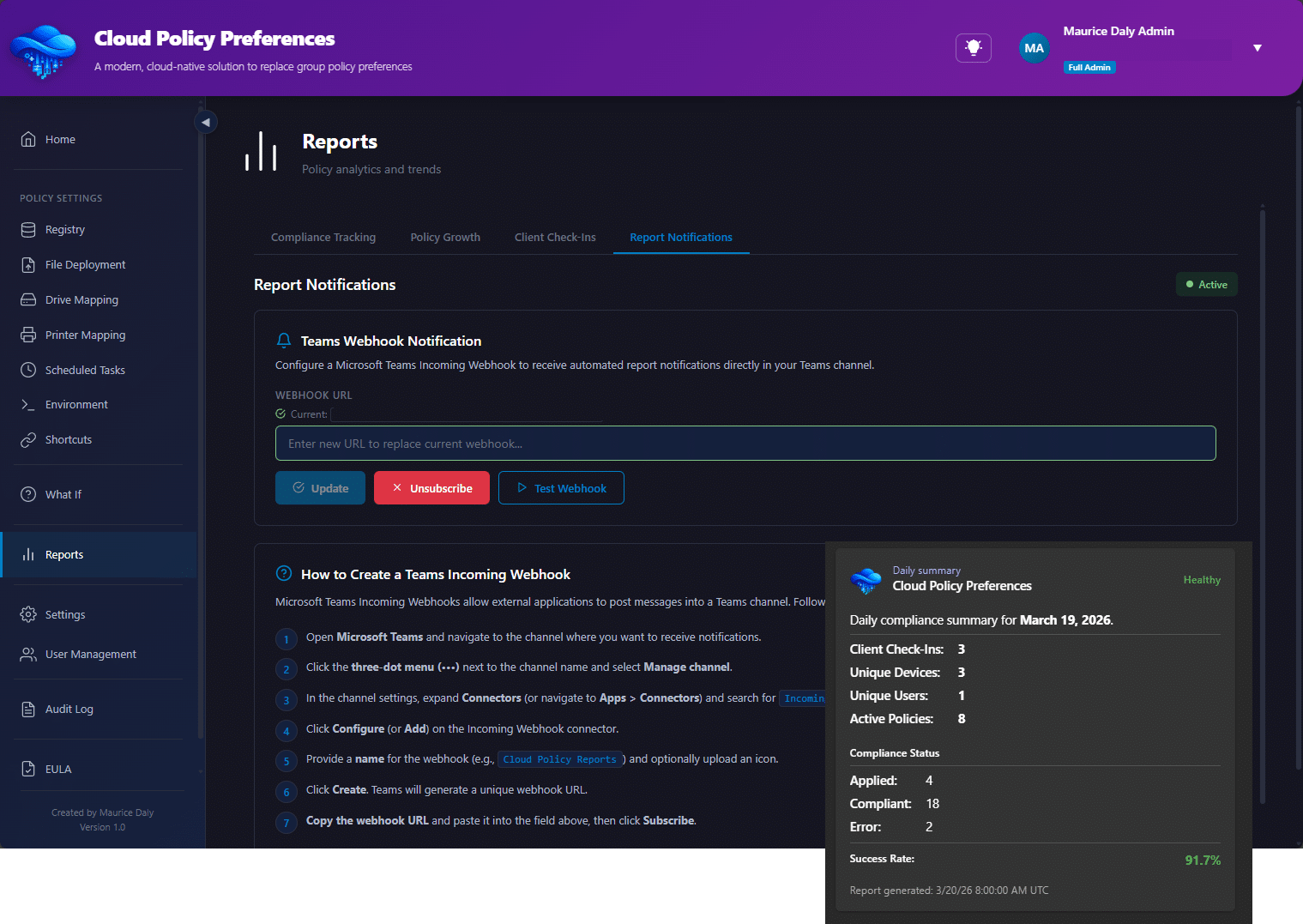
Should you wish to be informed once a day as to the operations carried out within your environment, a webhook feature is available;
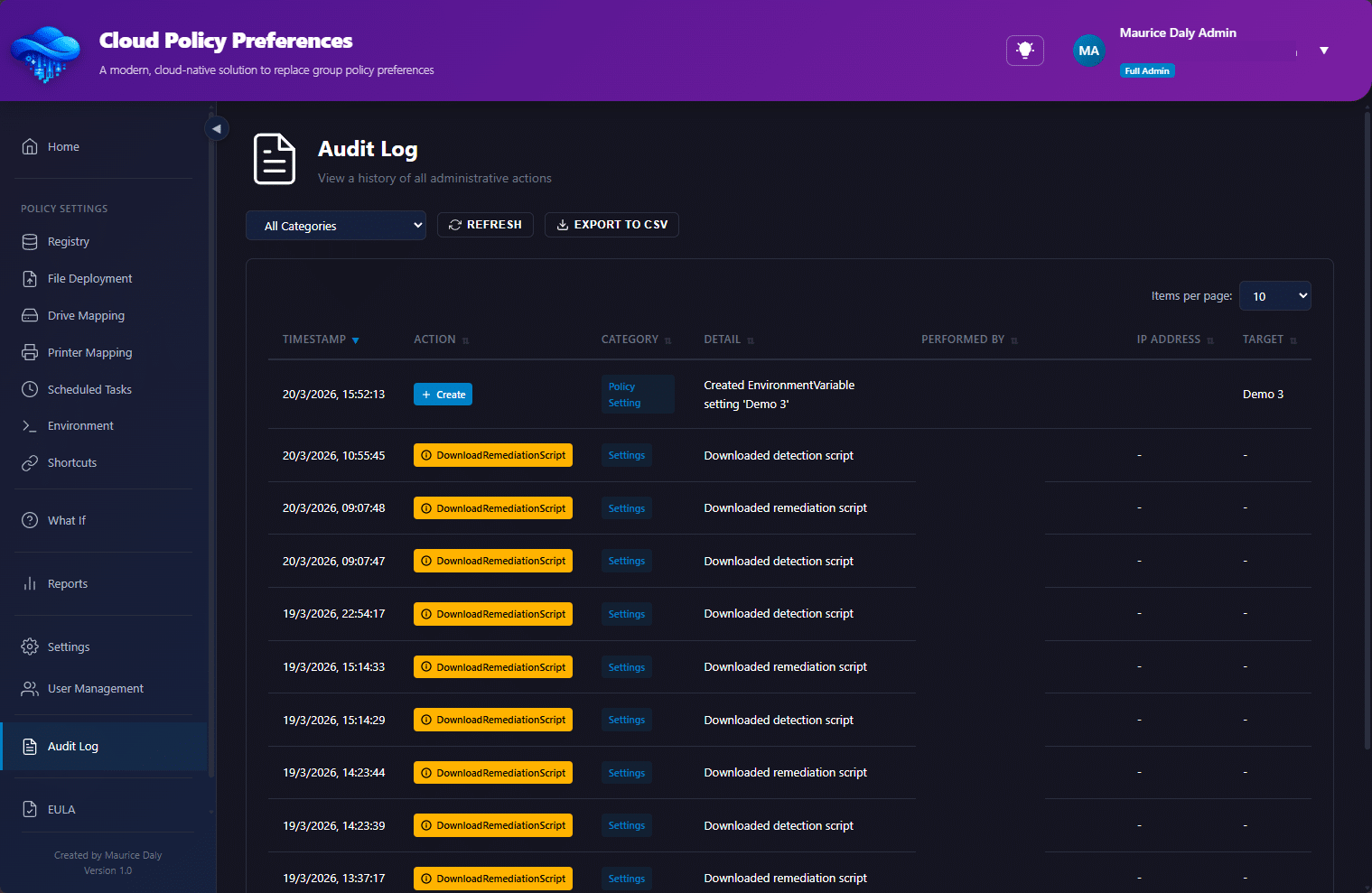
Auditing
Its kind of an important thing to know when someone did something, and where, well auditing is also included (30 days);
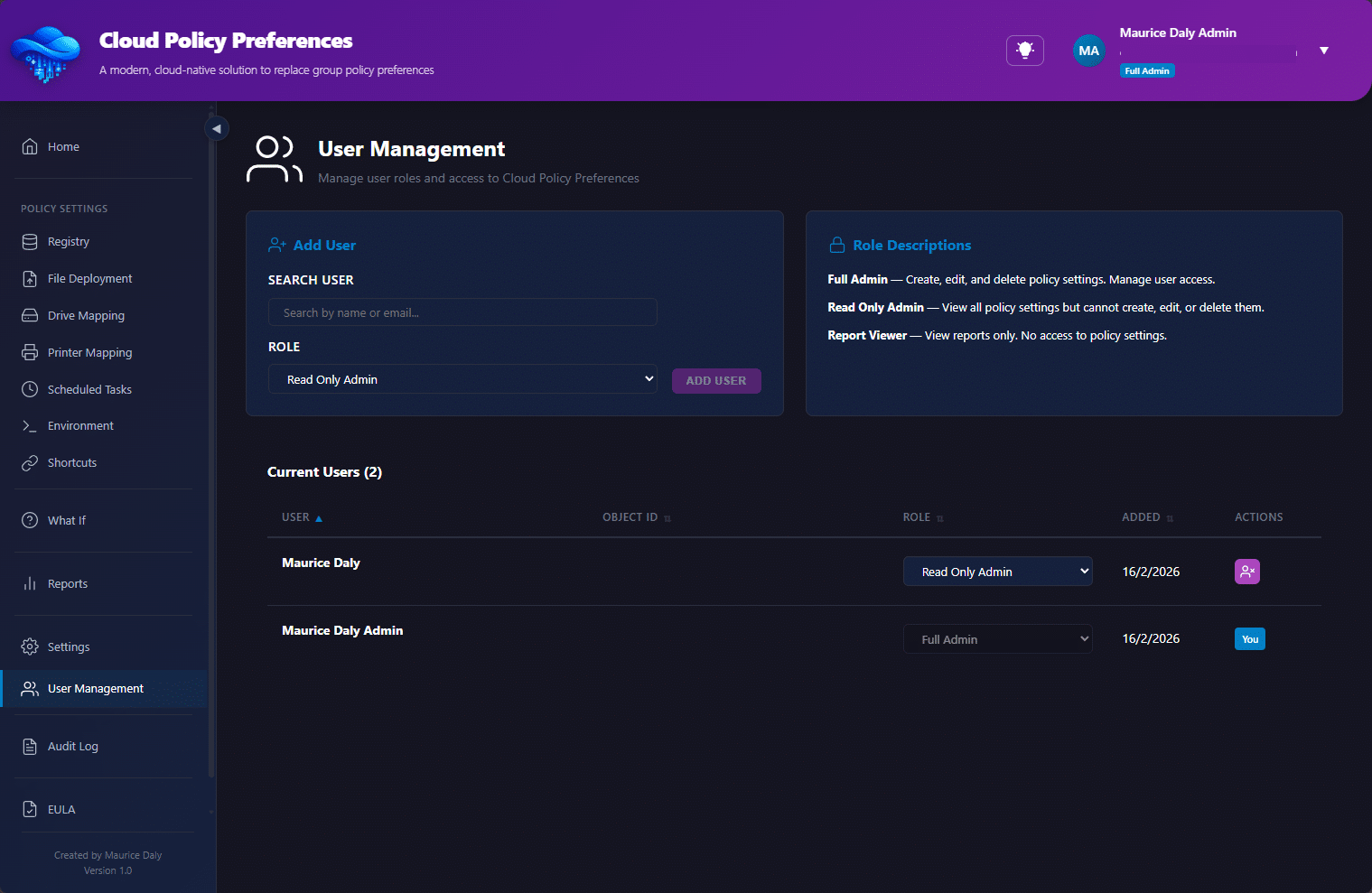
Role Based Access Control
RBAC controls allow you to define who is an admin, and who can look but cant touch;
Feedback, Use & Disclaimer
At the present time, the solution is designed to be free to use, however, depending on the numbers this might change over time in order to run the backend infrastructure required to run this solution. Obviously SaaS solutions cost money, but lets see how far we can drive this thing as a community release.
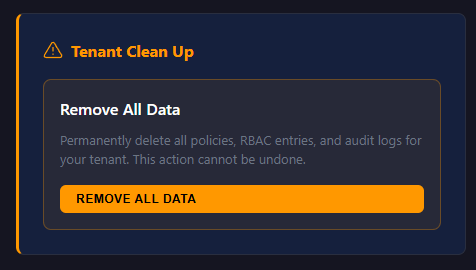
As with all solutions, data privacy is a concern. The solution maintains information for reporting and use, including the email of the users for RBAC, and user/device ID’s for targeting, you also have control over the deletion of your data within the settings page;
The solution is provided as is, without warranty and/or defined support. What I am looking for though is your feedback, as to how I can make this better for you!
Looking forward to your feedback!


 Simon Skotheimsvik
 Ben Whitmore




Add comment